
King Johnnie on Mobile: The PWA That Beats a Native App
There's no King Johnnie app in the App Store or on Google Play — and that's by design, not neglect. What you get instead is a progressive web app that installs in two taps, runs full-screen, and carries the entire lobby in your pocket. Here's how it performs, and how to set it up on iOS and Android.
Why a PWA, Not a Native App?
Both Apple and Google heavily restrict real-money casino apps for Australian users, which is why almost no offshore operator ships a true native build here. Rather than fight that, King Johnnie leans into a progressive web app — a website that, once added to your home screen, behaves like an installed app: its own icon, full-screen launch, cached shell for fast starts, and a persistent login. You skip the store account, the download wait, and the update nags.
In practice it's the better deal for the player. There's nothing to update because the site is always current, it sips storage instead of eating hundreds of megabytes, and it can't be pulled from a store overnight and leave you stranded. The only things a native app would add — push notifications and a store listing — aren't worth the trade-offs for a casino you can pin to your home screen in two taps. For the full operator context behind the mobile experience, see the King Johnnie flagship review.

iPhone and Android, Side by Side
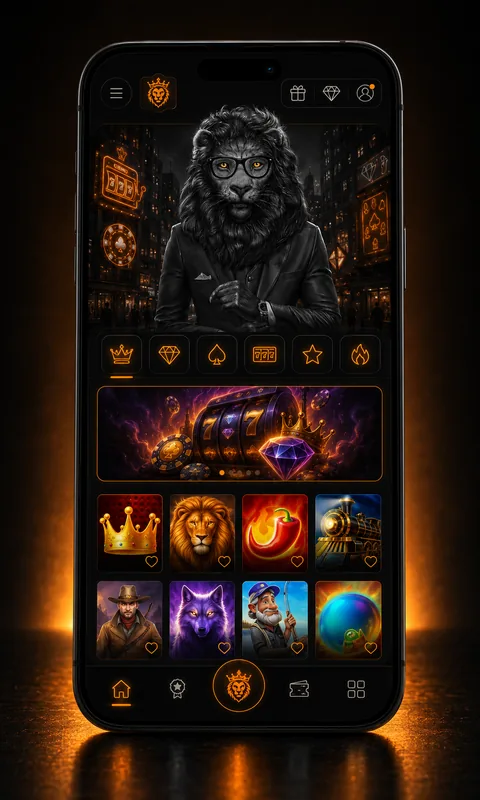
On iOS (Safari)
Runs in Safari and installs to the home screen from the Share sheet. Smooth 60fps scrolling on anything from an iPhone XR upward, and Apple's web engine keeps memory tidy across long sessions. Use Safari, not Chrome, for the install step.
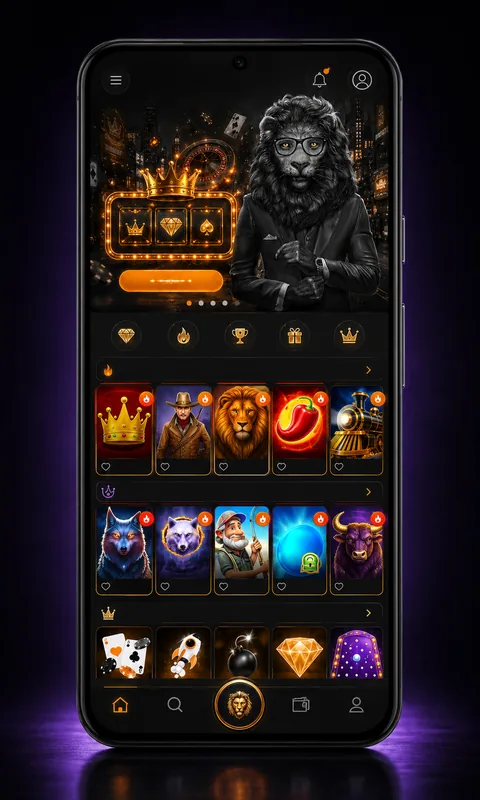
On Android (Chrome)
Chrome offers a one-tap "Install app" prompt within a visit or two. Performance is excellent on modern mid-range hardware — I tested a four-year-old Samsung A52 with no stutter, including live dealer streams over home 4G.
Installing the PWA in Four Taps
The steps differ slightly by platform, but neither takes more than a few seconds. No store, no account, no download bar:
Load King Johnnie in Safari (iPhone) or Chrome (Android). Make sure you're on the genuine domain before you sign in.
iPhone: tap the Share icon. Android: tap the three-dot menu, or accept the install banner Chrome offers.
Choose "Add to Home Screen" (iOS) or "Install app" (Android), then confirm. An icon drops onto your home screen.
Tap the new icon — it opens full-screen with no browser chrome. Log in, enable 2FA, and you're set for every future visit.
How Fast Does It Actually Load?
Speed is where a good PWA earns its keep. These are real cold-start load times I measured to a playable lobby, in seconds, across three devices on a suburban Perth 4G connection:
Even the oldest device in the set — a six-year-old iPhone XR — reached a playable lobby in under four seconds cold, and far quicker once the PWA shell is cached. After the first launch, subsequent opens are near-instant because the interface is served from the device rather than re-downloaded.
Mobile vs Desktop: What, If Anything, You Give Up
| Feature | Mobile PWA | Desktop |
|---|---|---|
| Full pokies library | Yes | Yes |
| Live dealer (Evolution) | Yes | Yes |
| Welcome bonus & Kash Spins | Yes | Yes |
| PayID deposit & withdrawal | Yes | Yes |
| KYC document upload | Yes (camera) | Yes (file) |
| Multiple games at once | One at a time | Multi-window |
| Screen real estate | Portrait-optimised | Larger |
The honest answer: you give up almost nothing. The only real desktop advantages are running several games in separate windows and the sheer screen size — neither of which most Aussies care about for a quick evening session. Everything that touches your money or your bonus works identically, so you can claim your spins from your phone without a second thought.
Mobile FAQ
Is there a King Johnnie app on the App Store or Google Play?
No native app in either store. Apple and Google restrict real-money casino apps in Australia, so King Johnnie ships a progressive web app instead. You add the site to your home screen and it runs full-screen like an installed app, with no store account required.
How do I install the King Johnnie PWA on iPhone?
Open the site in Safari, tap the Share icon, scroll to Add to Home Screen, then Add. An icon appears on your home screen that launches the casino full-screen. Chrome on iOS can't install PWAs, so use Safari for this step.
How do I install it on Android?
Open the site in Chrome, tap the three-dot menu, and choose Install app or Add to Home Screen. Android shows a one-tap install prompt the second or third visit. The result behaves like a native app with its own icon.
Does the mobile version have all the games?
Yes. The PWA serves the same lobby, the same 3,000-odd titles, the same balance and the same bonuses as desktop. A few older games without an HTML5 build may not run, but every modern pokie and all live dealer tables work on mobile.
Can I claim the welcome bonus on mobile?
Completely. Register, deposit and opt into the welcome offer entirely from your phone, and the Kash Spins credit to your mobile session just as they would on desktop. Nothing about the bonus is desktop-only.
Does the PWA use a lot of storage?
No. A PWA is a few megabytes of cached shell, not a hundreds-of-megabytes native download. Game assets stream as you play and aren't stored permanently, so it's far lighter on storage than a traditional app.
Is mobile play secure?
Yes, the same SSL encryption and account protections apply on mobile as on desktop. Enable two-factor authentication and set a screen lock on your device. Avoid logging in over public Wi-Fi; mobile data is harder to intercept.
Will live dealer drain my battery?
Live dealer streams are the heaviest thing on the platform and will run a battery down faster than pokies. For a long session of Crazy Time or Lightning Roulette, keep a charger handy or play plugged in.

Perth-based iGaming reviewer with eleven years in the industry, four of them on the gaming floor at Crown Perth before moving online in 2018. I write what I'd want to read before depositing — straight talk on banking, bonuses and the small print Aussies skip at their peril.